
Standalone UI Components
Standalone UI components let you embed specific elements of the Managed Solution component within your product — on dashboards, home screens, or anywhere your customers already spend time. Pass a JWT token so each sub-component can validate the signed-in user's permissions and render the appropriate experience.
These sub-components are optional add-ons to the full Managed Solution component (Implementation). Use Embedded Application Form if you also need to embed only the onboarding flow during registration — not banking activity or balances.
When to use
- Use
jwt-tokenwhen embedding any of the components below outside the main banking page. - This works well when you want to surface banking UX in other parts of your product — for example, a transaction feed on an analytics page or a balance summary on a dashboard.
Activity
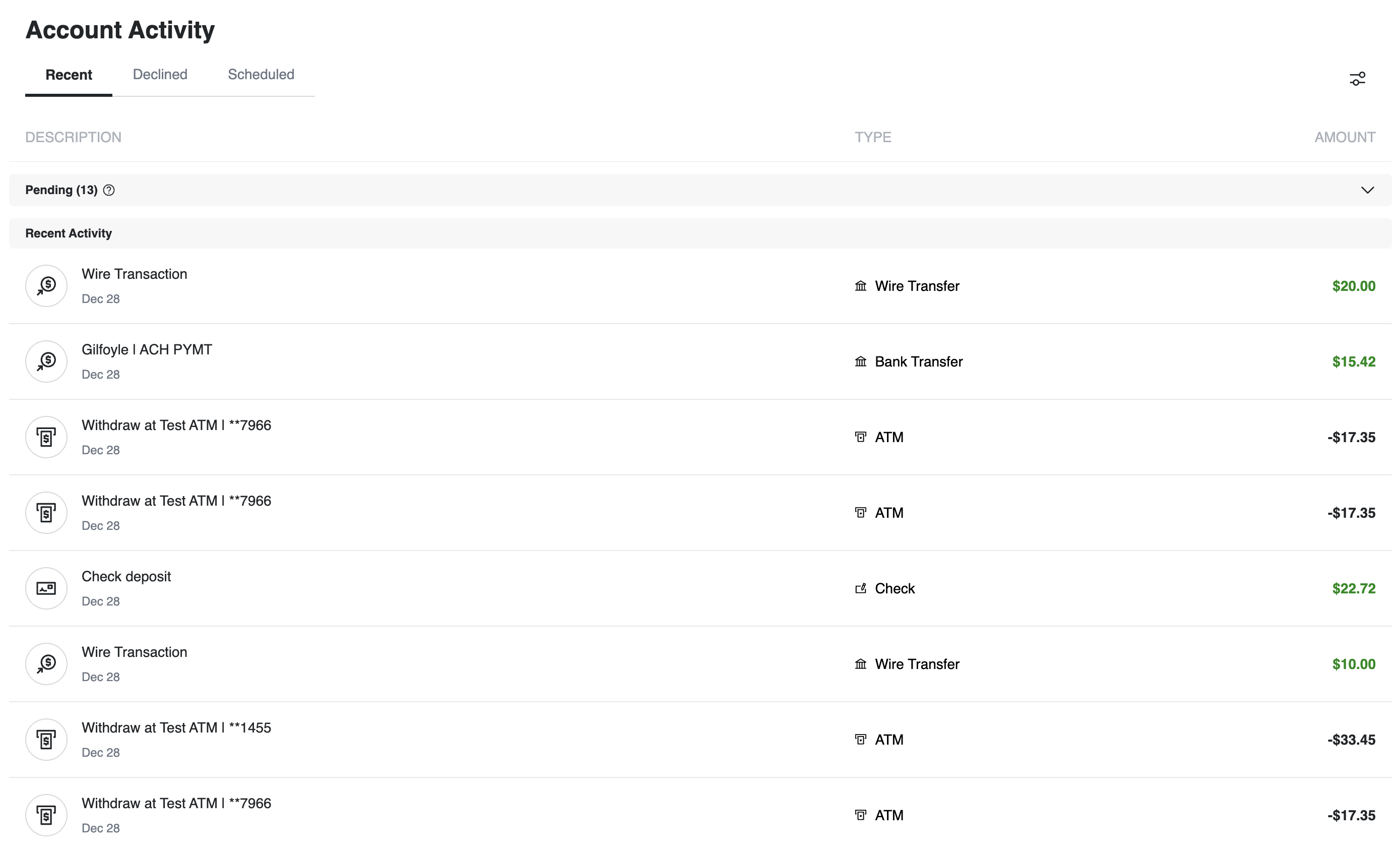
<unit-elements-activity
  jwt-token="YOUR_JWT_TOKEN"
></unit-elements-activity>
For additional attributes and configuration options, see Activity.
Balance Summary
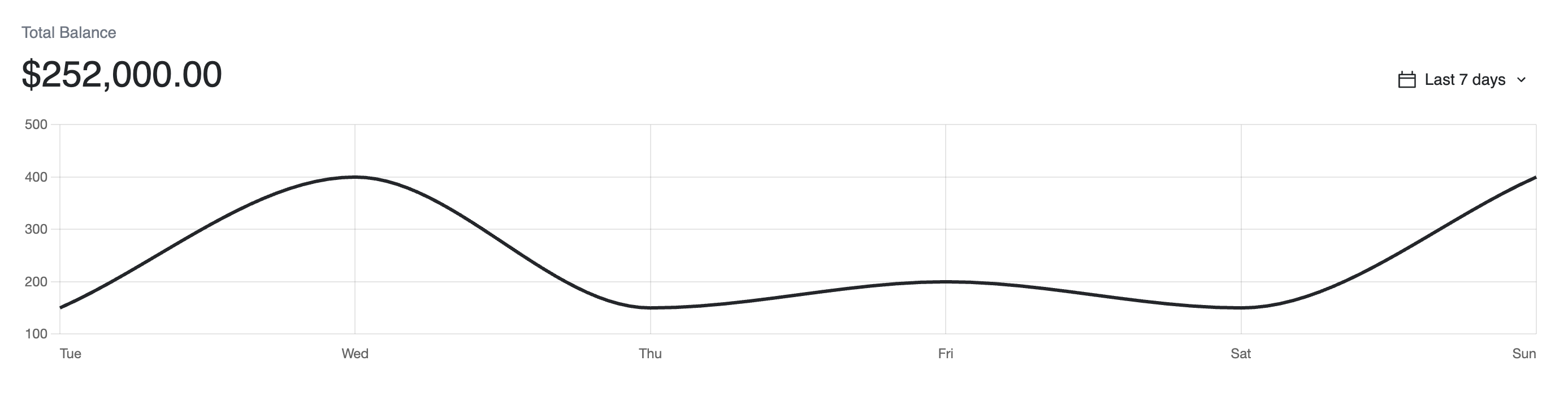
<unit-elements-balance-summary
  jwt-token="YOUR_JWT_TOKEN"
></unit-elements-balance-summary>
Payment Intent
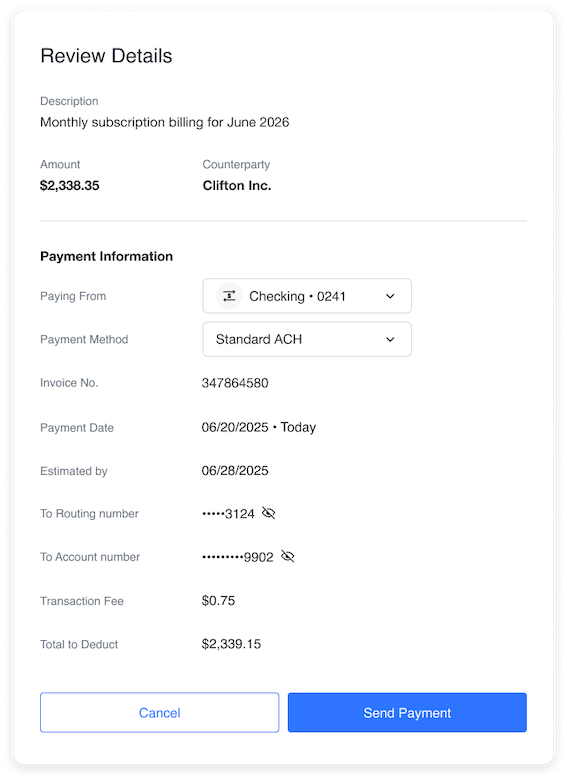
Embed the component with an intent ID and a JWT token, and it renders the review-and-approve flow for that suggested payment:
<unit-elements-intent
  id="YOUR_INTENT_ID"
  jwt-token="YOUR_JWT_TOKEN"
></unit-elements-intent>
As the customer works through the flow, the component fires custom browser events so your own UI can respond in the same session — closing a modal once they approve, keeping an external header in sync, or firing analytics as they go:
| Event | Fires when the customer… | Use it to |
|---|---|---|
unitIntentReviewClicked | Clicks a suggestion row | Open or focus the review UI |
unitIntentAuthorizedClosed | Finishes approving | Close an overlay or route away |
unitIntentDeclinedClosed | Finishes declining | Close an overlay or route away |
unitPaymentIntentHeaderStateChanged | Clicks accept/decline outside the component | Keep an external header in sync |
To handle one, add a listener to the component element:
<script>
  const unitElementsIntent = document.querySelector('unit-elements-intent');

  unitElementsIntent.addEventListener('unitIntentAuthorizedClosed', () => {
    // Close the modal or navigate away
  });
</script>
Keep in mind these events only fire while the customer's browser is on the component, so they aren't a substitute for Suggested Actions webhooks — rely on those (or Get/List) to track status. To learn more about custom UI events, see Web Components.
Implementation note
To load these components on the web, include the script on the page — see Web Components.