
Pre-filling end-user information
If you already hold information about an end customer, you can return that data from your backend so Unit can pre-fill the hosted capital application and reduce the steps the customer has to complete.
Expose a GET endpoint over HTTPS that Unit can call. When an end user starts the Ready-to-Launch Capital application flow, Unit requests your URL once (per user, identified by the JWT sub) with Authorization: Bearer <JWT>.
- Response: Return HTTP 200 with a JSON:API document —
data.typemust bewhiteLabelAppEndUserConfig, anddata.attributesmust follow that type (including optionalapplicantDetailswhere applicable). - Security: Validate the JWT on every request (issuer, audience, signature, expiry) using the same auth setup as your integration. See Custom JWT Authentication.
- Privacy: Treat any returned applicant data as personally identifiable information: send it only over HTTPS (encrypted), avoid logging sensitive fields, and handle it per your policies.
Configure in the Dashboard
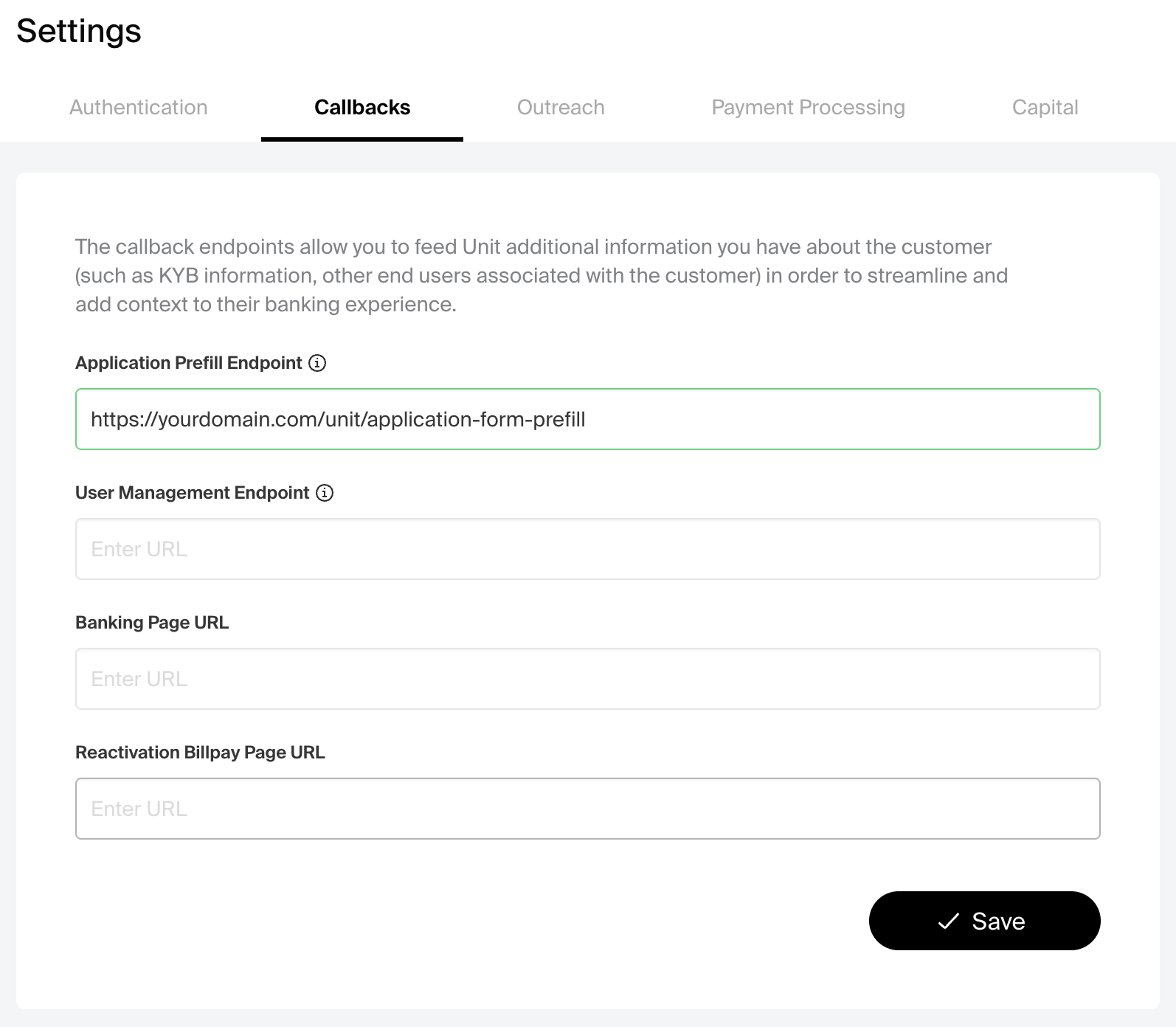
In your Unit Dashboard (sandbox or production, matching your environment): Settings → Ready to Launch → Callbacks.
Set Application Prefill Endpoint to your HTTPS URL.
After saving your URL, contact Unit to complete the setup — Unit must register and allowlist your URL for calls to work.
Callbacks settings
Use Application Prefill Endpoint for the URL Unit should call when the user starts the capital application. Other fields on this page serve different flows.
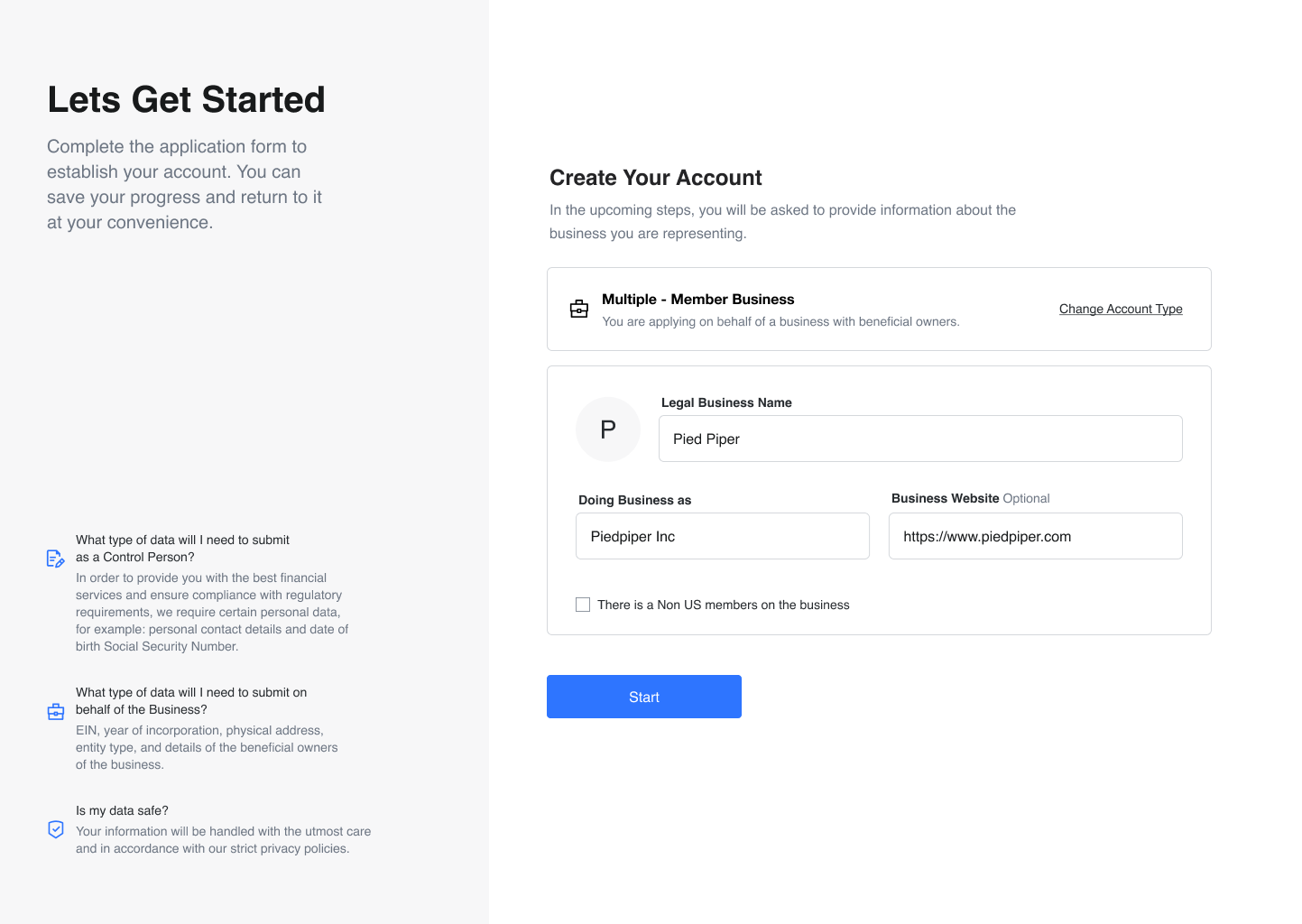
Application form (pre-filled)
When a new customer starts the capital application, fields can appear already filled in from the data your endpoint returned in applicantDetails—for example legal business name, the name the business trades under, and website—so they complete less manual entry.
Request
Unit sends this request to your server when an eligible end user begins the capital application. The response you return is what Unit uses to pre-fill the hosted application (see Response below).
| Item | Detail |
|---|---|
| Method | GET |
| URL | Your Application Prefill Endpoint as configured in the Dashboard |
| Headers | Authorization: Bearer and the end user's JWT (sub identifies the user) |
| Connection | HTTPS only (encrypted traffic); endpoint must be reachable from Unit |
curl -X GET 'https://yourdomain.com/unit/prefill' \
  -H "Authorization: Bearer ${JWT_TOKEN}"
Implement the handler so repeated calls for the same user return the same payload.
Response
The response body is a JSON:API document. Use the White-label App end user config reference for the full attribute list, supported application types, and a complete example.
{
  "data": {
    "type": "whiteLabelAppEndUserConfig",
    "attributes": {
      "allowedApplicationTypes": ["SoleProprietorship", "SingleMemberBusiness"],
      "requestedProducts": ["Banking"],
      "applicantDetails": {
        "applicationType": "SoleProprietorship",
        "email": "user@example.com"
      }
    }
  }
}
allowedApplicationTypes accepts any combination of SoleProprietorship, SingleMemberBusiness, and MultipleMemberBusiness. See the API reference for the full list of prefill fields available per application type.
Test in sandbox
- Deploy your GET handler and have Unit configure the sandbox URL, then set Application Prefill Endpoint in the sandbox Dashboard.
- Call your endpoint with
curl(using a sandbox JWT) and confirm you receive HTTP 200 with a validwhiteLabelAppEndUserConfigdocument. - Run through the capital application in the app and confirm the expected fields appear pre-filled.