Marketing Landing Page
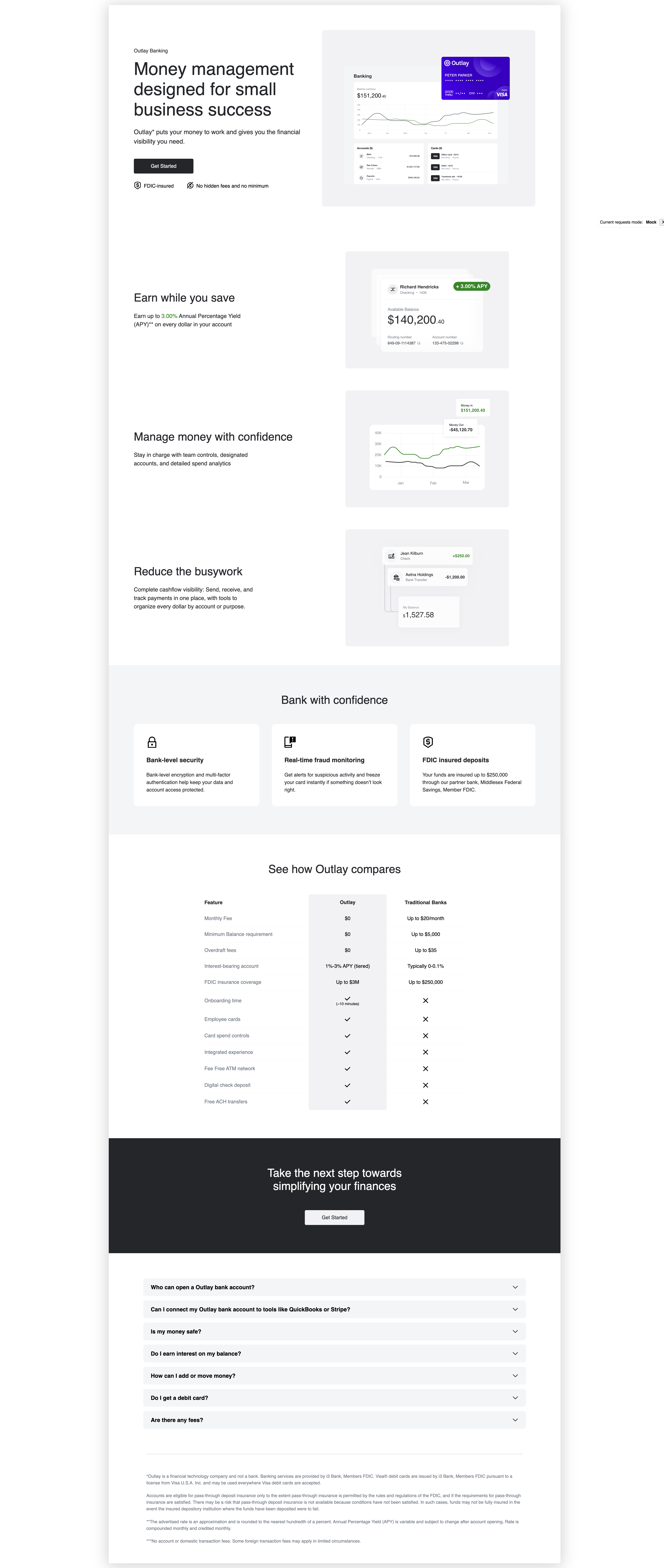
You can create a marketing external landing page for your banking product. This page will show information about the product and the benefits of using it for your customers.
To create a marketing external landing page, you can use unit elements marketing external landing page component.
<unit-elements-banking-external-landing
	company-name="MainStreet"
	get-started-link="https://www.unit.co/docs/white-label-uis/"
	card-holder-name="Peter Parker"
	fluid="true"
></unit-elements-banking-external-landing>
where:
company-nameis the name of your company.get-started-linkis the link to the get started page.card-holder-nameis the name of the card holder.fluidis a boolean value that indicates if the component should be fluid for spacing and title sizes.
The component will display the marketing landing page content.
You can use the default theme for the component or you can customize the component by creating a theme for the component. For landing pages we have the following properties in theme object:
{
	"elementsLandingPages": {
		"backgroundColor": "#000000",
		"paddings": {
			"block": {
				"min": "10",
				"max": "20"
			}
		},
		"hero": {
			"backgroundColor": "#000000"
		}
		// ...other properties
	}
}
where:
backgroundColoris the background color of the landing page.paddingsis the padding of the landing page in pixels,minandmaxare the minimum and maximum padding in pixels for fluidity. Orminfor small screens andmaxfor large screens when fluid is false.herois the theme for the hero section.
The whole theme object structure you can find in the Marketing landing page storybook -> Unit Theme -> elementsLandingPages property.
Also for titles we have the following properties in theme object:
{
	"global": {
		"typography": {
			"titles": {
				"landings": {
					"internal": {
						"h2": {
							"color": "#000000",
							"fontSize": {
								"min": "16",
								"max": "24"
							},
							"fontFamily": "sans-serif",
							"fontWeight": "800"
						},
						"h3": {
							"color": "#000000"
							// ...other properties
						}
					},
					"external": {
						"h2": {
							"color": "#000000"
							// ...other properties
						},
						"h3": {
							"color": "#000000"
							// ...other properties
						}
					}
				}
			}
		}
	}
}
where:
externalis the theme for the external landing page.internalis the theme for the internal landing page.coloris the color of the title.fontSizeis the font size of the title in pixels,minandmaxare the minimum and maximum font size in pixels for fluidity. Orminfor small screens andmaxfor large screens when fluid is false.fontFamilyis the font family of the title.fontWeightis the font weight of the title.
The whole theme object structure you can find in the Marketing landing page storybook -> Unit Theme -> global.typography.titles.landing property.
Also you can customize the card icon in theme object:
{
	"elementsCard": {
		"designs": [
			{
				"name": "default",
				"url": "https://d1xlopvhx2cz8k.cloudfront.net/resources/outlay.png"
			}
		]
	}
}
To see how we can customize the whole page you can follow Ready-to-Launch Branding page with "Banking External Landing" option selected in UI selector.